
Product Features
- Realtime Location Tracking
- 4G Network Communication
- BDS + GPS Dual Satellite Positioning
- OTA Remote Upgrade
- 1100MAH Rechargeable Battery
- Strong Magnetic Suction
- Compact Body
- Multiple Working Modes
- Vibration Alarm
- Track Playback
- Geofence Alarm
Installation Instructions
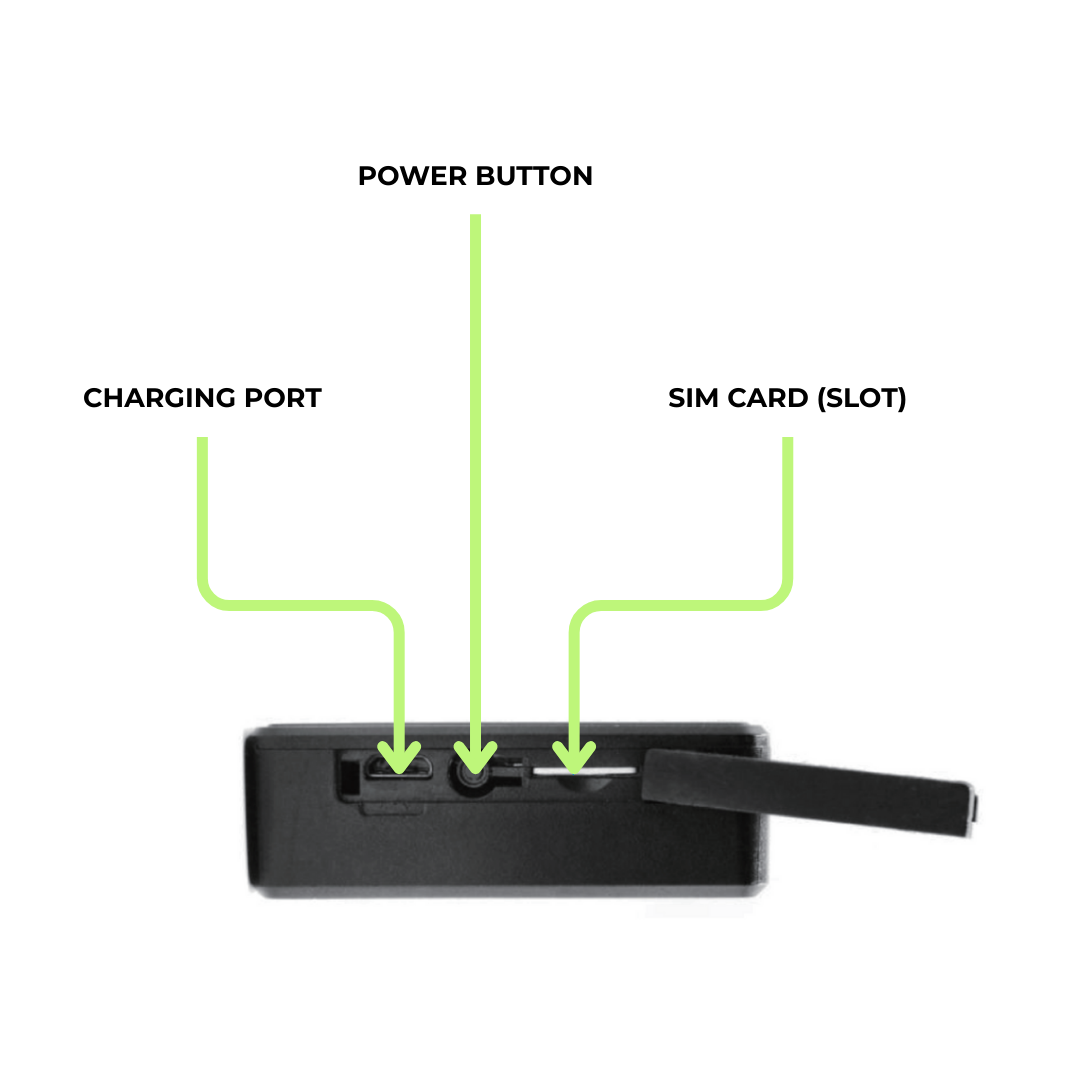
Appearance

Device Online Operation
Press and hold the button of the GPS tracker to make sure the indicator light is on. Short-press for 1 second to turn it on. Long-press for 3 seconds to turn it off. (Make sure the device has power; if not, connect the charger to power it).
Lighting Definition
Blue
- Always On: GPS/BDS positioned
- Slow Flash: Searching for satellite signal
- Not Bright: GPS/BDS sleep/shutdown
Yellow
- Always On: GSM communication is normal (normal working mode)
- Slow Flash: GSM initialisation
- Not Bright: GSM sleep/shutdown
Red
- Always On: Charging
- Not Bright: Finished charging
Note: If the battery is completely discharged, it will take about 4/5 hours to fully charge. It is normal for the battery to heat up slightly during charging.
The charging cable is a standard micro-USB charging cable.
Description Of Common Commands
The following commands can be issued via the WhatGPS platform.
Common Query Commands
Query Parameters
PARAM#
Query the currently set parameters of the device.
Query Status
STATUS#
Query the current working status of the device
Device Restart
RESET#
Restart the device
Troubleshooting
If you feel something is wrong with your device while operating, see the following questions and solutions. If the problem still cannot be solved, please contact us.
Poor Signal Reception
When devices are used in areas with poor reception, such as near tall buildings or basements, radio waves cannot be transmitted effectively.
Solution: Use the device in a location with a good signal.
Unable To Connect To The Network
The SIM card is not installed properly.
Solution: Check the SIM card.
Dirt on the metal surface of the SIM card.
Solution: Wipe with a clean cloth.
Invalid SIM card.
Solution: Contact us for more help.
Out Of GSM Service Area.
Solution: Please move to ISP Service Area.
Weak Signal.
Solution: Please move to a strong signal and try again.
Shutdown
Please confirm whether the device is switched on.
Turn on the device battery switch.
Please check whether the SIM is installed properly.
Please install the SIM card properly.
Check that the plug is properly connected.